Caregiver Medical Alert Checklist: What to Write Down Before Choosing a System
A caregiver-friendly medical alert checklist for comparing home setup, fall detection, mobile coverage, emergency contacts, pricing questions, and family handoff details.
Affiliate disclosure
SafeAtHomeHub may earn a commission when you use some provider links. You do not pay more, and commissions do not buy a ranking or positive review.
How we handle commercial relationships
Comparisons follow published decision criteria. We do not accept paid placement or compensation in exchange for favorable coverage.
Read the full affiliate disclosure and editorial guidelines.
On This Page
- Download the checklist
- Home and mobility notes
- Emergency contact handoff
- Provider questions
- Family decision notes
- When to ask for help
Quick Answer
A caregiver medical alert checklist helps families compare the senior's home setup, mobility needs, fall-risk concerns, emergency contacts, monthly cost questions, and device comfort before choosing a system.
Use the checklist to prepare better questions for providers; do not treat it as medical advice or an emergency-response guarantee.
Confirm features, pricing, cancellation terms, and emergency procedures directly with the provider before purchase.
On This Page
- Download the checklist
- Home and mobility notes
- Emergency contact handoff
- Provider questions
- Family decision notes
- When to ask for help
If you are helping a parent, spouse, or loved one compare medical alert systems, it is easy to jump straight into provider pages and lose track of the family details that matter most.
This checklist helps caregivers write down the basics before comparing medical alert systems.
Download the checklist
Download the first public MVP worksheet: Caregiver Medical Alert Checklist.
Use it before provider calls, family discussions, or comparing systems online.
Home and mobility notes
Start with the senior’s day-to-day setup:
- Does the person mostly stay at home, leave home often, or split time between places?
- Are stairs, bathrooms, porches, garages, or outdoor areas common concern spots?
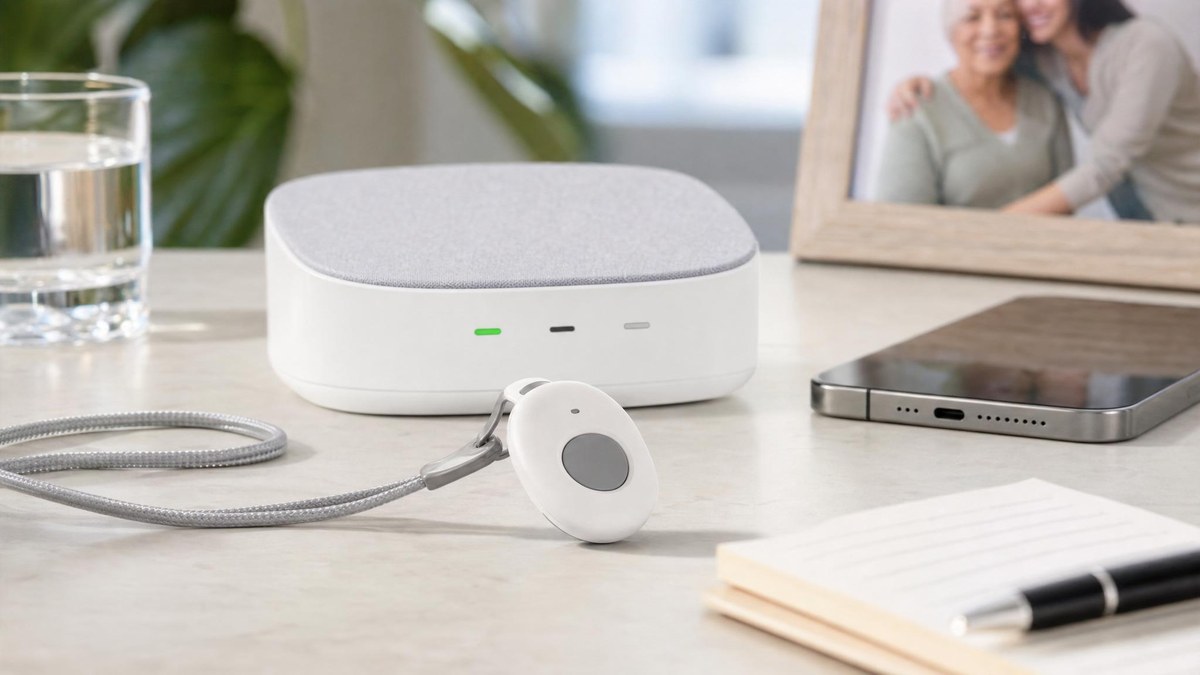
- Is a wearable pendant, wrist button, wall button, or mobile device most realistic?
- Is fall detection worth asking about?
- Does the home have reliable cellular, landline, or Wi-Fi coverage where the device would be used?
These notes help you avoid comparing systems only by monthly price.
Emergency contact handoff
Write down who should be contacted and in what order. Include:
- Primary family contact.
- Backup family contact.
- Nearby neighbor or building contact, if appropriate.
- Doctor or care-team contact for non-emergency follow-up.
- Any access instructions responders may need.
Do not assume every provider handles contacts the same way. Confirm the process before purchase.
Family handoff plan
Before comparing provider pages, decide how the family will use the checklist after the system is chosen. This keeps the purchase from becoming one person’s memory problem.
| Handoff item | Write down | Confirm before relying on it |
|---|---|---|
| Test routine | Who will help test the button, how often, and what counts as a successful test | Provider testing instructions and whether test calls are allowed |
| Contact updates | Who can update emergency contacts when phone numbers, addresses, or caregivers change | Provider account process, identity checks, and timing |
| Device charging | Who checks charging, battery alerts, and whether the device is being worn | Battery life, charging reminders, and backup steps from the provider |
| Monthly review | Who reviews cost, usage comfort, cancellation terms, and whether the senior still uses the device | Current plan terms and any equipment-return requirements |
The goal is not to replace emergency planning. It is to make sure family members know what to ask, what to write down, and what must be confirmed directly with the provider.
Provider questions
Ask each provider the same practical questions:
- What happens when the button is pressed?
- Is fall detection included or optional?
- Does the system work outside the home?
- What network or connection does it rely on?
- How long does the battery last?
- What are the setup, equipment, monitoring, cancellation, and return terms?
- How are emergency contacts updated?
Family decision notes
The best system is not always the one with the longest feature list. Families should consider:
- Whether the senior will actually wear or use the device.
- Whether a caregiver can help test the system.
- Whether the monthly cost is realistic.
- Whether the cancellation terms are clear.
- Whether the provider explains limitations plainly.
Related reading
If the person you care for is living with dementia or Alzheimer’s, see our dedicated guide: Medical Alert Systems for Dementia Caregivers — covers wandering risk, GPS tracking, caregiver alerts, door monitors, and questions to ask providers about cognitive needs.
When to ask for help
This checklist is not medical advice, emergency advice, or a guarantee of response. If the senior has recent falls, confusion, mobility changes, medication issues, or care-plan concerns, involve qualified medical, caregiving, or emergency-planning professionals.
Related Next Reads
Continue from the guide into a higher-intent page.
Read more →Continue from the guide into a higher-intent page.
Read more →Continue from the guide into a higher-intent page.
Read more →Continue from the guide into a higher-intent page.
Read more →Continue from the guide into a higher-intent page.
Read more →Continue from the guide into a higher-intent page.
Read more →How we evaluate this page
- Reader fit and practical decision usefulness
- Pricing clarity and need for direct recheck
- Safety, support, cancellation, and provider transparency
- Internal comparison value against close alternatives
Before enrolling: Confirm the provider's current pricing, contract, cancellation, equipment, and optional-service terms directly.
Use this guide as a family decision aid
Start with routine. Home-only and mobile systems solve different problems.
Confirm current terms. Ask about equipment fees, cancellation, fall detection, and spouse coverage.
Test the handoff. Make sure the person will wear the device and caregivers understand alerts and access.