How to Talk to Your Parent About Getting a Medical Alert Device
A caregiver-friendly script for talking with an aging parent about medical alert devices without making the conversation feel like a loss of independence.
Affiliate disclosure
SafeAtHomeHub may earn a commission when you use some provider links. You do not pay more, and commissions do not buy a ranking or positive review.
How we handle commercial relationships
Comparisons follow published decision criteria. We do not accept paid placement or compensation in exchange for favorable coverage.
Read the full affiliate disclosure and editorial guidelines.
On This Page
- Lead with independence
- Use a real situation
- Avoid the common mistakes
- Questions to ask together
- Simple script
- Next comparison step
Quick Answer
The best way to talk to a parent about a medical alert device is to frame it around independence, backup, and family peace of mind rather than fear or loss of control.
Start with a specific situation, ask what would make them comfortable, and compare simple options together instead of presenting the device as a decision already made.
If falls, memory changes, medication problems, or safety risks are involved, include qualified care professionals in the broader plan.
On This Page
- Lead with independence
- Use a real situation
- Avoid the common mistakes
- Questions to ask together
- Simple script
- Next comparison step
Talking to a parent about a medical alert device can feel loaded. The parent may hear, “You are not safe alone.” The adult child may be trying to say, “I want you to have backup when I am not there.”
That gap is why the conversation often goes sideways.
The goal is not to win an argument in one sitting. The goal is to make the idea feel practical, respectful, and connected to independence instead of control.
Lead with independence
Medical alert devices are often marketed around emergencies, but families may get further by framing the device as a way to protect independence.
Try language like:
- “I want you to keep doing as much as you can on your own.”
- “This is backup, not babysitting.”
- “I would feel better knowing you have a way to reach help if your phone is not nearby.”
- “Let’s compare options together and rule out anything that feels annoying or too complicated.”
Avoid starting with fear. A fear-based pitch may be emotionally true, but it can make a parent defensive before the practical details are even discussed.
Use a real situation
Specific examples are better than vague warnings.
Instead of saying, “You are getting older and need this,” try:
- “When you were in the backyard yesterday, your phone was inside. What would you do if you felt dizzy out there?”
- “You said you got up twice last night. What would happen if you slipped and could not reach the phone?”
- “I know you do not want extra stuff to manage. Can we look at the simplest option and see if any of it feels reasonable?”
The point is to discuss the routine, not attack the person.
Avoid the common mistakes
Families usually mean well, but these moves can backfire:
- Presenting the device as already decided.
- Comparing the parent to someone else who “had a fall.”
- Leading with worst-case scenarios.
- Ignoring concerns about cost, privacy, or wearing a button.
- Choosing a complicated system the parent will not use.
- Treating brand recognition as proof that a system is the right fit.
The best device is not the one with the most features. It is the one the parent will actually use.
Questions to ask together
Use these questions before comparing providers:
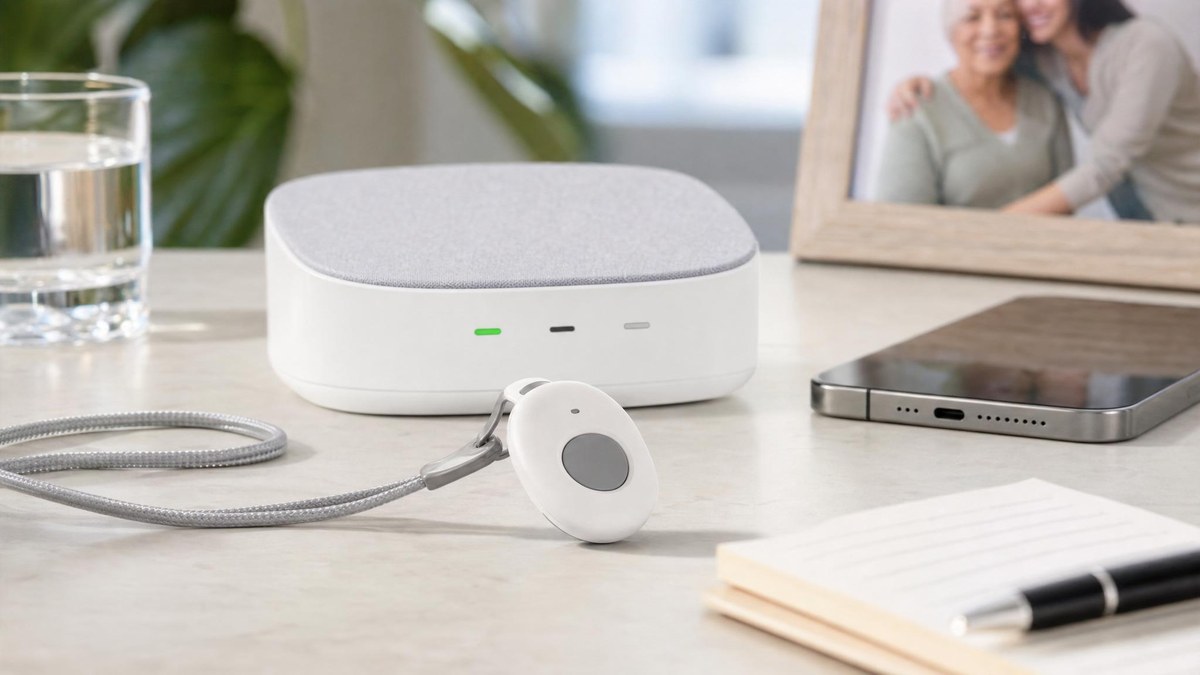
- Would you be more comfortable with a wrist button, pendant, watch, or home base station?
- Would you wear it outside the house?
- Do you want something simple, or are mobile/GPS features important?
- Would fall detection make you feel safer, or would false alarms bother you?
- Who should be called if there is an alert?
- What monthly cost feels reasonable?
- What would make this feel like support instead of surveillance?
Write the answers down in the caregiver medical alert checklist before calling providers.
Simple script
Here is a softer starting script:
“I know you value staying independent, and I want that too. I am not trying to take over. I just keep thinking about what would happen if you needed help and your phone was not next to you. Can we look at a few simple medical alert options together and see if any feel reasonable? If they all feel annoying, we can talk about why.”
That script does three useful things. It respects independence, names the real concern, and leaves room for the parent to dislike options without shutting down the entire conversation.
Next comparison step
Once the parent is willing to compare options, do not start with a dozen provider tabs. Start with the family requirements:
- home-only or mobile;
- pendant, wrist button, or watch;
- fall detection or no fall detection;
- caregiver notifications;
- monthly budget;
- cancellation terms;
- who will test and maintain the device.
Then use a comparison page like best medical alert systems for seniors to narrow the shortlist.
When to involve professional help
If there are recent falls, confusion, wandering risk, medication errors, mobility changes, or urgent safety concerns, a medical alert device conversation should be part of a larger care discussion. In those cases, involve qualified medical, caregiving, or emergency-planning professionals.
A device can help with access to support. It does not replace a care plan.
Related Next Reads
Continue from the guide into a higher-intent page.
Read more →Continue from the guide into a higher-intent page.
Read more →Continue from the guide into a higher-intent page.
Read more →How we evaluate this page
- Reader fit and practical decision usefulness
- Pricing clarity and need for direct recheck
- Safety, support, cancellation, and provider transparency
- Internal comparison value against close alternatives
Before enrolling: Confirm the provider's current pricing, contract, cancellation, equipment, and optional-service terms directly.
Use this guide as a family decision aid
Start with routine. Home-only and mobile systems solve different problems.
Confirm current terms. Ask about equipment fees, cancellation, fall detection, and spouse coverage.
Test the handoff. Make sure the person will wear the device and caregivers understand alerts and access.